Success Story

Industry
Higher Ed
From Legacy Systems to a Salesforce Student Event Check-In System: University of North Texas
2,200+
student events run through the system in just over one year
$50,000+
cost savings compared to next-best event check-in softwares
Zero
additional Salesforce or FormAssembly licenses needed for event site staff

Overview
The University of North Texas (UNT) runs hundreds of events throughout the year, from small-scale impromptu giveaways to its massive annual orientation event for incoming students, First Flight Week. At that scale, managing check-ins and attendance requires a system to go beyond a simple registration form.
When UNT’s legacy on-site student card swipe system became unmaintainable, they set out to build something better. Using FormAssembly and Salesforce, UNT built a Salesforce-connected student event check-in system that any department can use with no additional Salesforce licenses required.
The Challenge
Previously, UNT’s Division of Student Affairs relied on a legacy card swipe system for student event check-in and attendance tracking. Over time, the system became difficult to update and impossible to extend what it could capture or track.
The Division of Student Affairs wanted a new solution that could replicate what the old system did but also capture event goals, report on outcomes, and allow multiple departments to run their own events without IT involvement.
Manny Jandres, an Application Support Analyst at UNT, went looking for a solution and found that commercial alternatives started at $50,000, yet still came with limitations. A Salesforce-only approach would have required purchasing new licenses for the temporary and student staff who run events, a cost that would have made the plan a non-starter and ground things to a halt. He went looking for a different path, and found FormAssembly.
“You think ‘forms’ — you think it’s just first name, last name, email, and that’s it. But FormAssembly is a powerful tool.”
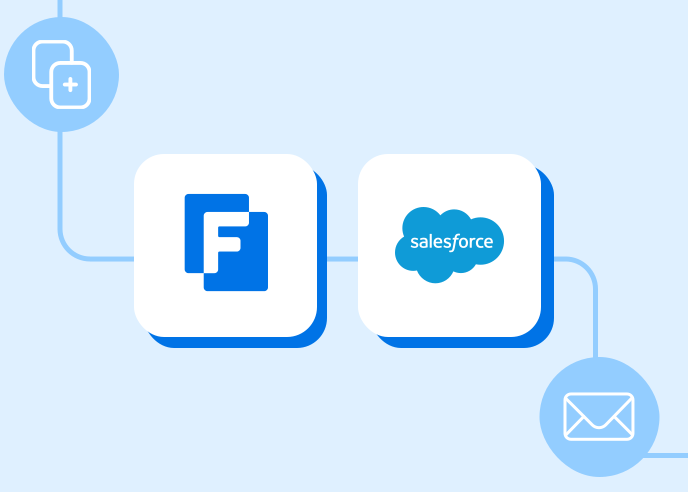
The Solution: A Seamless FormAssembly-to-Salesforce Setup
Manny’s working hypothesis was simple: if FormAssembly could create a Salesforce contact record, there was no reason it couldn’t create an event record. He built a multi-form workflow in FormAssembly that not only replaced the old system entirely but went far beyond what it was doing.
Phase 1: Event Creation in 30 Seconds
Any staff member, regardless of whether they have Salesforce or FormAssembly access, can create a new event by filling out a form Manny created using FormAssembly. It captures the event name, department, location, intended goals, and optional details like whether the event allows multiple check-ins per student.
Behind the scenes, the FormAssembly Salesforce connector maps everything directly to a new event object in UNT’s Salesforce instance. Once the form is submitted, the event creator automatically receives a confirmation email with a card swipe check-in link and QR code link for the event, which they share with event staff immediately. If the email gets lost, both links are also stored directly on the Salesforce event record for easy recall.
“Timewise, I would say it’s kind of priceless. If it’s an emergency — ‘hey, we forgot to set something up!’ — just take 30 seconds to fill out that form and boom, you’re ready to go.”
— Manny Jandres, Application Support Analyst, UNT
Phase 2: Student Check-In in 5 Seconds
When a student arrives at an event, they can check in three ways:
• Card swipe: The card reader auto-inputs the student’s ID, submits the form, and triggers a Salesforce prefill lookup. If the student is found, an attendance receipt is created in Salesforce and the check-in page resets for the next person. All in approximately five seconds.
• QR code scan: UNT generates QR code images for check-in forms, allowing students to scan and check in using their phone. For large events, the QR code can be displayed on a large screen for simultaneous mass check-in on site.
• SAML SSO login: For events requiring verified identity, students log in with their university credentials before check-in is recorded, confirming they are who they say they are.
Behind the scenes, the FormAssembly setup uses conditional logic to flag duplicate check-ins, displaying a visible warning to staff if a student has already swiped that day. First and last swipe timestamps are also recorded automatically, giving departments check-in and check-out tracking without any additional setup, a capability the old system couldn’t provide at all.
What This Replaced — and What It Added
Departments that previously had no way to capture event goals now build those details directly into each event record. Reports pulled from Salesforce show not just who attended, but what the event was designed to do, which student populations showed up, and how a given event compares to the same event run the previous year. When new departments at UNT want to start running events, Manny simply onboards them with a training session covering the process. After that, they run their own events independently.
“This makes it very easy for any department to be able to create an event, either day-of or weeks in advance.
This is pretty foolproof — there’s nobody in the backend messing with details or settings that break the system.”
— Manny Jandres, Application Support Analyst, UNT

Spotlight:
UNT’s First Flight Week — 5,000 Students, One QR Code
Once a year, UNT’s event check-in system faces its biggest test: First Flight Week, the university’s orientation event for incoming students. Between 2,000 and 5,000 students can arrive on site at the same time.
Thankfully, they’re not stuck in a check-in line:
• A QR code UNT staff created from the FormAssembly form’s link is displayed on a screen at the event.
• Thousands of students scan it simultaneously from their phone, entering their student ID to verify their identity and record their attendance.
• For high-volume events such as this, UNT gets support via a special FormAssembly Launch Day package. The systems are then able to process the high volume of check-in and event data collection in real time.
Need forms that perform for you?
Book a demo to see how you can create forms that scale your mission-critical data processes.