University student services offices manage a high volume of recurring, process-driven interactions that follow consistent patterns: a student submits a request, the relevant office reviews it, some kind of determination or scheduling occurs, and the student is notified of the outcome. The operational problem is that most of these workflows are still running on email, shared spreadsheets, or basic ticketing systems that do not connect to the university’s Salesforce environment.
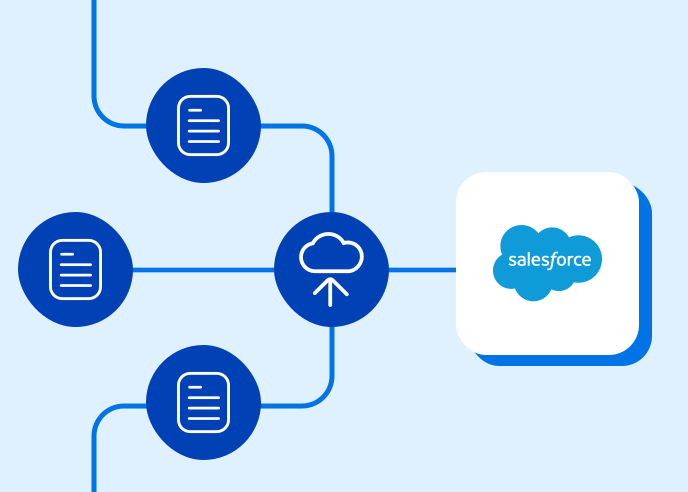
Online forms connected directly to Salesforce Education Cloud or NPSP change the infrastructure for these interactions. Here are six student services processes that benefit the most from that automation.
1. Academic Advising Appointment Requests
Academic advising is one of the highest-volume student services interactions at most universities, and one of the most operationally fragmented. Students submit requests through an advising portal, by email, or by walking into an office. Advisors manage their own appointment books in ways that are not visible to the central advising office. Wait time data, appointment topics, and follow-up notes live in different systems for different advisors.
An advising request form connected to Salesforce captures the student’s record from Education Cloud, collects the reason for the advising request, and routes to the appropriate advisor based on the student’s major, year, or specific question type. The advisor’s calendar availability can be surfaced through integration with the scheduling tool, and the confirmed appointment creates a record in Salesforce that captures the meeting topic, any pre-meeting notes the student provides, and post-meeting follow-up action items. Aggregate data from Salesforce then gives the advising office visibility into request volume, common topics, and advisor utilization that email-based systems cannot provide.
2. Tutoring and Academic Support Intake
Tutoring programs face a matching problem: students with specific subject needs need to be connected to tutors with the right expertise and availability. Managing that matching through email or a basic sign-up sheet is slow, opaque, and produces no data about which students are seeking support, in which subjects, or how tutoring utilization correlates with academic outcomes.
A tutoring intake form connected to Salesforce captures the student’s identifying information (which pulls their academic record from Education Cloud for context), the subjects they need support in, their availability, and whether they prefer individual or group tutoring. Salesforce matches the request to available tutors based on subject and availability parameters and creates the appointment record. Utilization data accumulates in Salesforce, allowing the academic support office to see which subjects are most in demand, which students are repeat users, and where tutor capacity needs to be expanded.
3. Disability Services Accommodation Requests
The accommodation request workflow is one of the most compliance-sensitive processes in student services, governed by the Americans with Disabilities Act and Section 504 of the Rehabilitation Act. It involves sensitive documentation, a formal eligibility determination process, and ongoing coordination with faculty that needs to be documented carefully.
A digital accommodation request form connected to Salesforce captures the initial request and supporting documentation, routes to the disability services office for review, and generates the formal accommodation letter when eligibility is confirmed. Faculty notification workflows triggered from Salesforce deliver accommodation letters to the relevant instructors automatically. The full documentation trail, from initial request through determination through faculty notification through semester-end review, lives in Salesforce rather than in email threads and physical files.
For detailed guidance on building this specific workflow, see our full guide to automating the student accommodation request process.

4. Housing Application and Room Assignment
University housing applications involve structured preference collection, eligibility verification, roommate matching, and assignment communication across timelines that are tightly compressed at the start of each academic year. Managing that process through paper applications or basic web forms that do not connect to a housing management system creates manual reconciliation work that consumes housing office staff time during the periods of highest demand.
A housing application form connected to Salesforce captures student preferences, pulls financial aid and enrollment status from Education Cloud to verify eligibility, and creates application records that feed the assignment workflow. Roommate matching forms allow students to search for compatible roommates or confirm a requested pairing. Assignment notifications sent from Salesforce when housing is confirmed give students specific room and move-in information automatically, without housing office staff manually composing and sending individual emails.
5. Student Organization Registration and Event Approval
Student organizations and campus events generate significant administrative volume for student affairs offices: new organization registration, officer update submissions, event registration and approval requests, space reservation requests, and end-of-year reporting. Each of these is a structured process that follows consistent steps, which makes them well-suited to form-based automation.
An organization registration form connected to Salesforce creates the organization record, links officer Contact records to the organization, and routes for approval by the student affairs office. An event approval form routes to the appropriate reviewers based on event type and size, captures space reservation data, and generates an approval confirmation that the organization can use for facility access. Officer transition forms at the end of each academic year update the organization’s Salesforce record with the incoming officer information without requiring the student affairs office to manually update records for every organization on campus.
6. Financial Aid Appeals and Satisfactory Academic Progress Reviews
Financial aid appeals are time-sensitive processes with significant consequences for students. A student whose aid is suspended pending a satisfactory academic progress review needs to submit an appeal with supporting documentation, receive a decision within a defined timeframe, and be notified clearly of the outcome and any conditions attached to reinstatement.
A financial aid appeal form connected to Salesforce captures the student’s account from Education Cloud (including the aid status that triggered the appeal), collects the student’s explanation and any supporting documentation, and routes to the financial aid review committee for decision. Decision notifications sent from Salesforce communicate the outcome and any required follow-up steps. The Salesforce record documents the complete appeal history, which is relevant for federal financial aid audit purposes and for identifying students who may benefit from additional academic support services.
Explore FormAssembly for Higher Ed
Schedule a personalized demo