Save and resume forms reduce abandonment on long applications by letting applicants stop and return without losing their answers. Admissions applications, grant proposals, loan files, and benefits enrollments need documents, details from other people, and time to think. A form that forces completion in one visit loses the people who need to stop.
Key Takeaways
- Save and resume forms let applicants stop a long application and return to it without losing saved answers.
- The Baymard Institute reports an average cart abandonment rate of 70.22% across 50 studies.
- A checkout is not an application, so Baymard’s checkout numbers do not transfer 1:1 to applications, but the numbers show an important trend: form length and complexity push people to abandon.
- Conditional logic keeps a long application short on any one path by hiding the questions that do not apply.
- Partial applications hold personal information, so a platform must protect saved drafts like submitted applications.
What the Baymard Checkout Evidence Shows About Form Abandonment
The best public data on form abandonment comes from eCommerce checkout research by the Baymard Institute. The Baymard cart abandonment list reports these figures:
- The average cart abandonment rate is 70.22% across 50 studies.
- Of U.S. online shoppers, 17% cited a long or complicated checkout process as a reason to abandon an order.
- Baymard’s testing shows that an ideal checkout can be as short as 12 to 14 form elements.
- The average U.S. checkout displays 23.48 form elements by default.
A checkout is not an application, so the Baymard numbers do not transfer 1:1 to applications. However, the Baymard numbers do show that length and complexity push people to abandon a form. The numbers point to two remedies: fewer visible questions and a way to continue at a later time.
Conditional Logic Puts Fewer Questions on Screen
Conditional logic reduces what each applicant sees on a long application. An applicant sees the questions that apply to that applicant’s situation and skips the rest:
- A first-time applicant skips the renewal questions.
- A single applicant skips the co-applicant section.
A form with conditional logic can be long in total and short on any one path.
Save and Resume Forms Let Applicants Continue at a Later Time
Save and resume forms let an applicant stop a long application and return to it. Our Save & Resume feature includes these capabilities:
- Our Save & Resume feature saves progress with one click and sends a secure resume link by email.
- Applicants need no login or download to resume.
- Saved answers prefill when the applicant returns, so the applicant continues from the stopping point.
- Automatic reminder emails encourage applicants to finish.
- Administrators can set expiration rules.
- Our forms work on all devices, including signing with a finger, stylus, or mouse.
Design Choices That Matter for Save and Resume Forms
Save and resume forms raise four design choices about saved data:
- Protection. Partial applications hold personal information, so the platform must protect partial applications like submitted ones.
- Expiration. Expiration rules should match the application window, so abandoned drafts do not sit in the system past that window.
- Staff visibility. Each team should decide whether staff can see partial submissions, and staff can use partial submissions to understand where applicants stop.
- Placement. The heaviest questions, such as document uploads and essays, belong where an applicant can save before and after them.
Where FormAssembly Fits
At FormAssembly, we combine save and resume, conditional logic, and document upload in one platform, so a long application stays manageable. Our platform supports long applications in these ways:
- Completed applications route through our approval workflows.
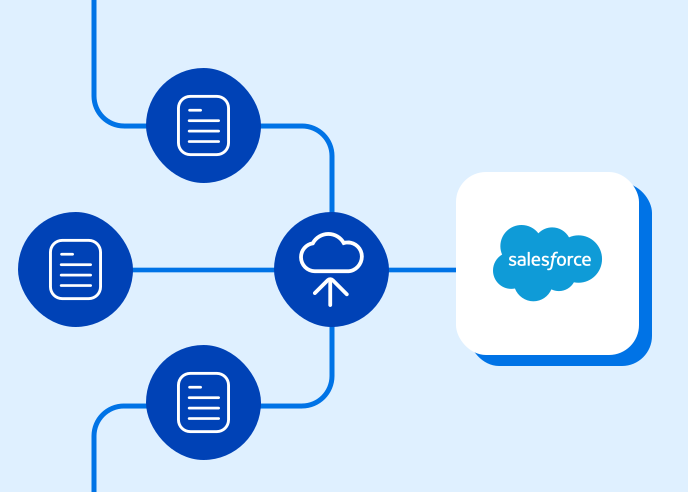
- Our forms connect directly to Salesforce, where admissions, grants, or lending teams review completed applications.
- Higher education and financial services teams that run long applications can give applicants the time they need without losing the data they entered.
Frequently Asked Questions
What is a save and resume form?
A save and resume form lets an applicant save progress on a long application and return to it at another time. Our Save & Resume feature saves progress with one click, sends a secure resume link by email, and prefills saved answers when the applicant returns.
Do save and resume forms reduce abandonment on applications?
Save and resume forms address one cause of abandonment that checkout research identifies: length and complexity. Baymard reports that 17% of U.S. online shoppers cited a long or complicated checkout process as a reason to abandon an order. A checkout is not an application, so the figure does not transfer, but the research points to a way to continue at a later time as one of two remedies.
Does an applicant need an account to resume a saved application?
An applicant does not need a login or a download to resume one of our saved forms. Our Save & Resume feature sends a secure resume link by email, and saved answers prefill when the applicant returns.
How long should saved applications be kept?
Saved applications should expire on a schedule that matches the application window. Administrators can set expiration rules in our Save & Resume feature, and the platform must protect saved drafts like submitted applications because partial applications hold personal information.
Want to see FormAssembly in action?
Book a personalized demo or request a free trial of the platform today.