Salesforce field-level security decides whether the user behind a form connection can see or edit each field, so it shapes what a connected form can read, create, and update. A form that connects to Salesforce does not bypass the Salesforce security model, because the connection runs as a Salesforce user.
Administrators who understand field-level security and record ownership avoid two problems: forms that fail because a field is hidden, and records that no one can see because of the wrong owner.
Key Takeaways
- Salesforce field-level security decides whether a user can see or edit a specific field, and it applies after object-level access.
- A Salesforce connected form runs as a Salesforce user, so the permissions of that user shape what the form can read, create, and update.
- Page layouts control where fields appear, but page layouts do not restrict field access by themselves.
- Organization-wide defaults set baseline record access, and ownership, the role hierarchy, and sharing rules can grant more access but cannot restrict access below the default.
- The first check after a failed save on a new form field is the field permissions of the connected user.
How Salesforce Field-Level Security Works
Salesforce field-level security, as Salesforce Trailhead describes it in its field-level security module, is the second layer of access control, applied after object-level access. Field-level security works through five rules:
- Field-level security decides whether a user can see or edit a specific field.
- Administrators set field permissions through profiles, permission sets, or the Field Accessibility menu.
- Salesforce recommends permission sets and permission set groups.
- Page layouts control where fields appear on a page, but page layouts do not restrict access by themselves.
- Field permissions govern visibility across related lists, list views, reports, and search results.
What Salesforce Field-Level Security Means for Connected Forms
Salesforce field-level security controls which fields a connected form can write to. A form can map an answer to a field when the connected user has access to that field. A team that adds a field to a form and sees a failed save should check the permissions of the connected user before anything else.
How Salesforce Record Ownership and Sharing Work
Salesforce organization-wide defaults set the baseline access to records that a user does not own. Record access in Salesforce follows three rules:
- Salesforce documents the default options in its guide to organization-wide sharing defaults: Private, Public Read Only, or Public Read/Write for most objects.
- Record ownership, the role hierarchy, and sharing rules open access beyond the organization-wide baseline.
- Record ownership, the role hierarchy, and sharing rules grant more access and cannot restrict access below the default.
What Salesforce Record Ownership Means for Connected Forms
Salesforce record ownership decides who sees the records that a connected form creates. If a default is Private and a form creates a record under an integration user, the people who need to work the record may not see it. Teams should decide the owner for form-created records before launch and test the result with a user in the receiving role.
A Salesforce Field-Level Security Checklist for Connected Forms
A Salesforce connected form design needs four checks:
- Dedicated user. The form connection gets its own Salesforce user, with a permission set that grants the objects and fields the forms need and nothing more.
- Sensitive field review. The team reviews the field list for sensitive data, such as government identifiers, financial details, and health information, and confirms that the receiving fields restrict access to the roles that need them.
- Record routing. The team decides how records reach the right team, through the owner field, an assignment rule, or a sharing rule.
- Role testing. The team tests with a user in each receiving role and does not rely on an administrator test.
Where FormAssembly Fits
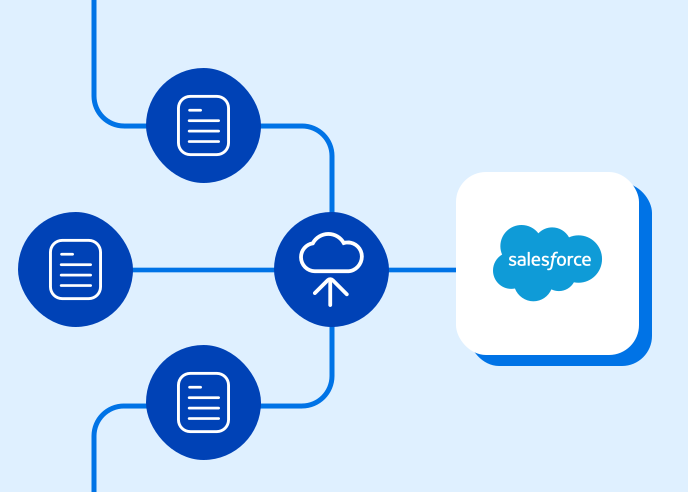
At FormAssembly, our forms connect directly to Salesforce with no middleware, so the Salesforce security model stays in charge of the data. Our Workflow Connector supports Salesforce security design in three ways:
- The Workflow Connector creates, updates, and looks up records.
- The Workflow Connector supports repeatable sections.
- The Workflow Connector can apply assignment rules, which helps route new records to the right owner.
Nonprofit and higher education Salesforce administrators can design the permission set and the ownership rule one time and reuse them across forms.
Frequently Asked Questions
Does a Salesforce connected form bypass field-level security?
A Salesforce connected form does not bypass field-level security. The connection runs as a Salesforce user, and the field permissions of that user decide which fields the form can read, create, and update.
Why does a form fail to save to a Salesforce field?
One cause of a failed form save is a field that the connected Salesforce user cannot access. A form can map an answer to a field when the connected user has access to that field, so the team should check the field permissions of the connected user before anything else.
Do page layouts restrict access to Salesforce fields?
Page layouts do not restrict field access by themselves. Page layouts control where fields appear on a page, and Salesforce field-level security governs visibility across related lists, list views, reports, and search results.
Who owns a record that a form creates in Salesforce?
Teams decide the owner of a form-created Salesforce record through the owner field, an assignment rule, or a sharing rule. If the organization-wide default is Private and a form creates a record under an integration user, the people who need to work the record may not see it. Teams should decide the owner before launch and test with a user in the receiving role.
Want to see FormAssembly in action?
Book a personalized demo or request a free trial of the platform today.