What is the difference between a form and a workflow?
The short answer: a form collects data. A workflow routes it. A form is how someone tells you something. A workflow is what happens next.
If that already clicks, you can probably skip the rest of this post. If you’ve ever quietly wondered what “workflow” actually means — or whether a workflow is just a form with more fields — read on. The idea is much simpler than the word makes it sound.
What is a form?
A form is a structured conversation with one person at one moment in time. Someone arrives, fills it out, and submits it. Behind the scenes, a form enforces the things humans tend to be casual about: field formats, required questions, validation rules, and conditional questions that appear only when relevant. A form’s job is to capture the right data, cleanly, the first time.
In FormAssembly, that’s the job of the Form Builder. Most users start there, often for years, before they ever think about anything else, and that’s fine! A form does real, important work.
That work ends, however, the moment someone hits “Submit.”
What is a workflow?
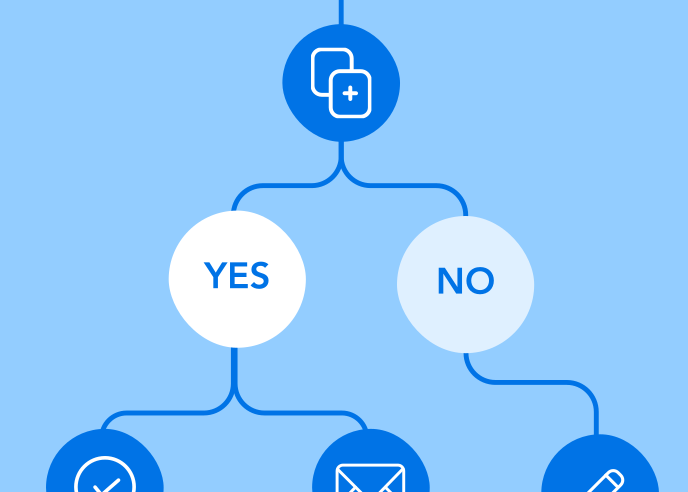
A workflow is the process that wraps around the form. It answers the questions a form can’t answer on its own: where does the data go now, who else needs to see it, what system should update, and what should happen if the answer to question seven was “yes” versus “no?”
In FormAssembly, a workflow is built in a visual, drag-and-drop tool called the Workflow Builder. Each step inside a workflow does one specific thing — collect another form, route based on a rule, send an email, push data to Salesforce, request an approval, or generate a signed document. The workflow is the assembled sequence of those steps.
Put another way: a form is a question. A workflow is the whole conversation around the question.
A simple example
Imagine a community college that needs to collect applications for a continuing-education program.
With just a form, that probably looks like this:
- The applicant fills out the form
- The submission lands in an inbox or a spreadsheet
- A program coordinator opens the inbox, reads the responses, sorts the applicants by the program they applied to, forwards qualifying applications to the right advisor, manually emails non-qualifying applicants to let them know, and creates a record in the school’s CRM by hand.
With a workflow, the same form behaves very differently: the workflow looks at which program the applicant selected, routes the application to the right advisor automatically, pushes the data into the school’s CRM in the same step, sends an acknowledgement email to the applicant, and pauses for the advisor’s approval before notifying the applicant of the next step.
It’s the same form, but has a different outcome on the other side of the submit button.
What lives inside a workflow that doesn’t live inside a form
Most of the features that distinguish a workflow from a form are specific kinds of steps a form on its own can’t perform. Here are a few of the most common features used in FormAssembly:
- Conditional Ruleset step: Routes the workflow down different paths based on what was filled in upstream. (Not to be confused with conditional logic inside a form, which shows and hides fields.)
- Connector step: Pushes data into external systems, such as Salesforce, but also dozens of other connectors.
- Approval step: Pauses the workflow until a named approver reviews the response and decides whether to advance or stop.
- Send an Email step: Sends a personalized internal or external email based on what the workflow has captured so far.
- E-signature step: Captures legally compliant signatures inside the workflow itself.
- Advanced Document Generation step: Merges the response into a branded PDF or contract.
- Workflow Assignments: Let a workflow include a second (or third) form, filled out by a different person, all as part of the same response.

If you’ve ever wished a form could ask “and what happens after the response?” — those steps are how it asks.
When to use which
Use a form when one person needs to give you information once and the response just needs to land somewhere clean. Examples include a simple contact form, newsletter signup form, or a simple feedback survey.
Use a workflow when the form is part of a longer process, such as when multiple people need to touch the data, when the response needs to update a system of record, when there’s a decision or approval involved, or when what happens next depends on what was filled in.
A handy rule of thumb: if you find yourself doing anything after “Submit” beyond reading the response, you are in workflow territory.
The mindset shift is smaller than the word makes it sound
“Workflow” is a heavy word. In some industries, it implies six months of process mapping and change management. In FormAssembly, it just means the steps that happen after someone fills in your form, captured visually so they happen automatically. If you can sketch the steps on a napkin, you can build a workflow.
The shift isn’t from “form-builder” to “engineer.” It’s from “I built the form” to “I built the process that happens around the form.” That’s a much smaller leap than it feels like before you’ve made it.
See it in action
Want to see what a workflow looks like in practice? Book a personalized demo or start a free trial to see what one of your forms looks like as a workflow.