Organizations run more than one Salesforce org when business units, regions, or acquired companies need separate data and separate release cycles. Salesforce Architects list higher integration, licensing, and environment management costs among the tradeoffs of that design. A single form platform account can hold those costs down, provided it keeps each org’s authentication, field mappings, and testing environments separate.
Why Organizations End Up With More Than One Org
Few teams plan for multiple orgs from the start. For example:
- A university acquires a college that runs its own org.
- A nonprofit network gives each chapter a separate instance.
- A global company splits Salesforce by region to meet data residency rules.
Salesforce guidance describes a hub and spoke pattern for these cases, in which one org holds shared master data and the other orgs consume it. Each org collects data from the public, and that collection needs forms.
What Goes Wrong When Every Org Gets Its Own Form Tool
When each org buys its own form tool, the organization ends up with several tools that have inconsistent workflows and branding. IT loses visibility into who changed a form, which integrations failed, and who holds access. Each admin team solves the same problems again, and security reviews multiply. Shadow IT grows because a department with a deadline picks whatever tool it can buy that day.
A shared platform replaces those copies with one place to govern forms.
What a Shared Form Platform Has to Keep Separate
Sharing a platform does not mean sharing configuration. Four items stay separate for each org:
- Authentication. Every Salesforce connection carries its own OAuth authorization. Salesforce allows five active OAuth tokens per user for each connected app, so teams reuse an existing authentication instead of creating a new one for every form, as the FormAssembly Salesforce guide explains.
- Field mappings. Picklist values, required fields, and record types differ between orgs. A mapping that works in one org can fail in another.
- Environments. Each org has a sandbox for testing and a production instance for live data. Teams test in the sandbox and switch the connector to production, as the FormAssembly testing guide describes.
- Access. The people who edit forms for one business unit should not edit forms for another.
Where FormAssembly Fits
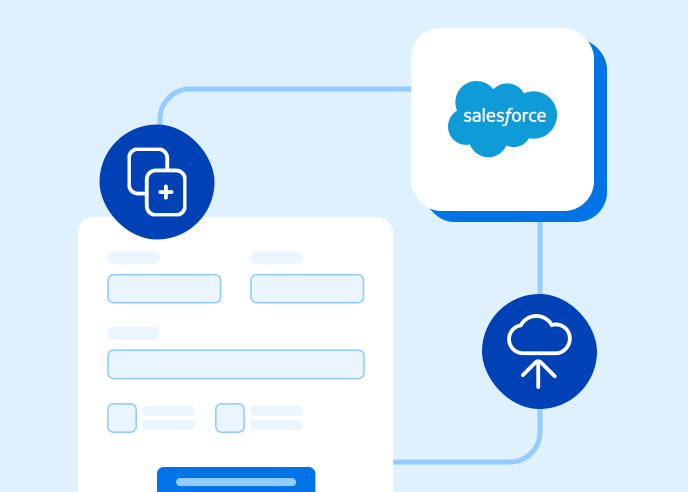
FormAssembly sets Salesforce authentication on each connector, so two forms in the same account can send data to two different Salesforce environments.
- The connection process lets an admin choose production, a sandbox, or a custom domain.
- The reauthentication process changes the connected user on one connector without touching the others.
Forms connect directly to Salesforce, so no middleware sits between each org and the form platform. SAML and CAS single sign-on and role-based permissions limit who can edit each form, and the audit trail records changes across the account.
For IT leaders who manage several Salesforce orgs, FormAssembly allows for one governed form platform to replace a separate tool for every org.
Take Control of How Data Flows Into Salesforce
Built specifically for Salesforce, FormAssembly gives teams full control to improve data quality, accelerate automation, and support more reliable, AI-driven workflows.