How do you collect AI-ready data? By ensuring the data entering your systems is clean, validated, consistent, and connected before it ever reaches your CRM.
That was the core takeaway from our recent webinar, “AI-Ready CRM Data: Preventing Duplicates & Errors at the Source.”
In the session, we explored why most AI initiatives struggle, what “AI-ready data” actually means in practice, and how you can improve data readiness for AI starting at the point of collection.
Read on for an overview of what was covered during the webinar, or watch the presentation on-demand here.
Why AI Projects Struggle Without AI-Ready Data
AI adoption is accelerating across industries, but the results are often inconsistent.
In a recent survey we conducted of AI decision-makers:
- 9 in 10 reported increased AI usage over the past year
- Yet 3 in 5 said AI outputs conflict with data from other systems
- And teams spend 40%+ of their time preparing and cleaning data
Even more striking: for every hour spent using AI, teams spend 3–5 hours preparing data.
This creates a clear problem. AI is meant to drive efficiency, but without high-quality inputs, it does the opposite.
The root issue? Poor data quality at the source.
Many organizations focus on cleaning data after it enters their systems. But by that point, errors, duplicates, and inconsistencies have already spread. If your data isn’t trustworthy to begin with, your AI outputs won’t be either.
What Is AI-Ready Data?
AI-ready data isn’t just “good data.” It’s data that is structured and reliable enough to be used confidently in automation and AI workflows.
We define AI-ready data using six key characteristics:
1. Clean. Free from errors, invalid entries, and unnecessary noise.
2. Consistent. Standardized across records so values match expected formats.
3. Complete. No critical fields missing, ensuring full context for analysis.
4. Contextual. Properly related across objects (e.g., contacts linked to accounts, activities, or transactions).
5. Correctly Formatted. Structured in a way both systems and humans can interpret.
6. Integrated. Seamlessly connected across systems without data loss or fragmentation.
When these elements are in place, your data becomes usable not just for reporting, but for AI, automation, and decision-making at scale.
Why Data Collection Is the Most Important Step
One of the biggest misconceptions in AI-ready data collection is that transformation happens downstream – in your CRM, data warehouse, or AI tool. In reality, data quality is determined at the moment of entry.
If you collect bad data initially:
- You create duplicates
- You introduce inconsistencies
- You lose context between records
- You increase cleanup effort later
If you collect structured, validated data from the start:
- You reduce manual cleanup
- You improve CRM integrity
- You enable reliable automation
- You make AI outputs more accurate
This is why improving data for automation starts with your forms and workflows.
How to Collect AI-Ready Data (Key Tactics)
The webinar demo highlighted several practical ways to improve AI-ready data collection using FormAssembly and Salesforce.
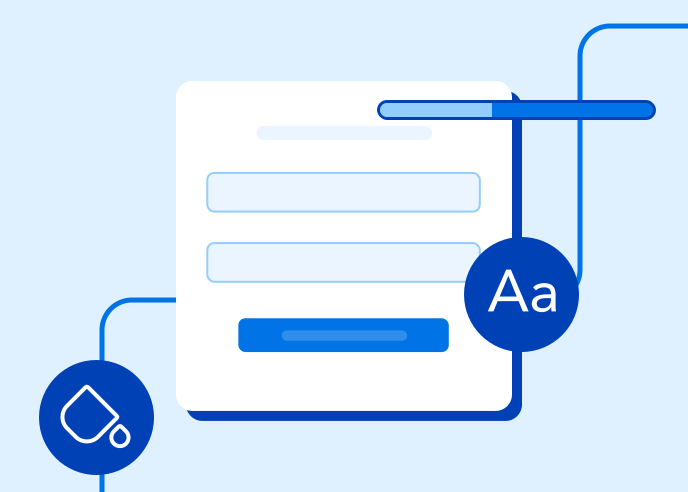
1. Validate Data at the Point of Entry
Use field-level validation to ensure users submit correct, usable data:
- Required fields prevent missing information
- Format validation ensures proper structure (e.g., email syntax)
- Input constraints limit invalid characters or values
For example:
- Enforcing email format prevents unusable contact records
- Masking phone numbers ensures consistent formatting across records
Result: cleaner, standardized data before it ever reaches your CRM.
2. Replace Free Text with Structured Inputs
Free text fields introduce variability that makes data harder to use. Instead, use:
- Dropdowns
- Picklists
- Controlled response options
With dynamic picklists, you can pull values directly from Salesforce, ensuring users only select valid, pre-approved options.
Result: consistent, standardized data that supports segmentation, reporting, and AI use cases.
3. Use Prefill to Leverage Existing Data
Prefilling forms with known CRM data:
- Reduces user effort
- Minimizes input errors
- Maintains consistency across records
It also enables “update workflows,” where users can confirm or edit existing data instead of re-entering it.
Result: improved accuracy and better user experience.
4. Prevent Duplicates with Real-Time Record Checks
Duplicate records are one of the biggest barriers to data readiness for AI.
By checking for existing records during submission:
- You can match on key identifiers (e.g., email + last name)
- Update existing records instead of creating new ones
- Maintain a single, unified view of each contact
Result: cleaner CRM data and more reliable AI outputs.
5. Build Context Through Relationships
AI depends on relationships between data, not just individual records. By structuring your workflows to link contacts to related records (e.g., interests, activities) and capture IDs and reference fields behind the scenes, you ensure your data has the context needed for meaningful insights.
Result: data that AI can interpret and act on effectively.
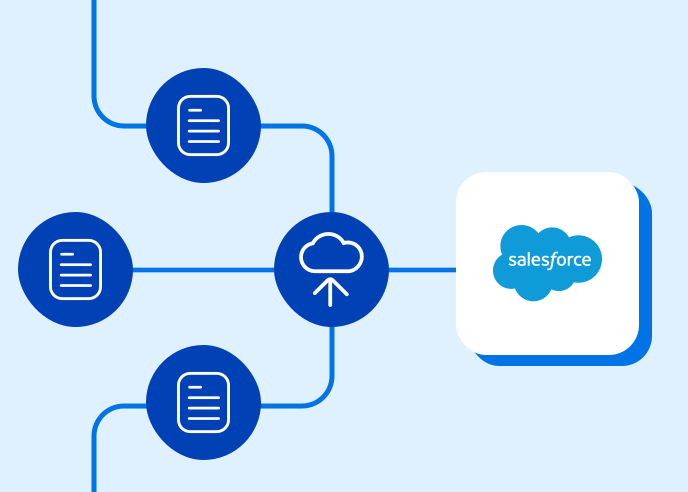
6. Automate Data Flow Into Your CRM
Clean data collection only works if it’s paired with seamless integration.
By automating data transfer into systems like Salesforce:
- You eliminate manual entry errors
- Ensure real-time updates
- Maintain data integrity across systems
Result: fully integrated, AI-ready data pipelines.
The Impact: From Data Chaos to AI Confidence
When you apply these practices, the shift is immediate.
Before:
- Duplicate records
- Inconsistent formats
- Missing fields
- Manual cleanup
- Unreliable AI outputs
After:
- Standardized, validated inputs
- Unified records
- Complete, connected data
- Reduced operational overhead
- AI systems you can trust
This is the foundation of data readiness for AI, and it starts earlier than most teams think.
Final Takeaway
If your organization is struggling to get value from AI, the issue likely isn’t the model – it’s the data. Learning how to collect AI-ready data means focusing on:
- Validation at the source
- Structured inputs over free text
- Deduplication during capture
- Context-rich data relationships
- Seamless CRM integration
When you get data collection right, everything downstream – including automation, analytics, and AI use – becomes more effective.
If you want to see these strategies in action, including Salesforce-integrated workflows, dynamic data validation, and duplicate prevention, you can explore a personalized demo of how FormAssembly supports AI-ready data collection.
Need help using FormAssembly?
Our Knowledge Base has step-by-step guides to walk you through the platform.