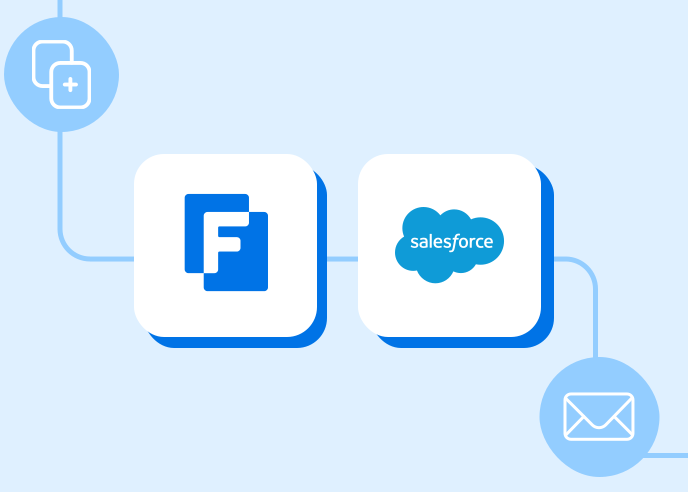
Document generation software merges submitted data into a template and, in more capable platforms, triggers that generation automatically and routes the finished document into an e-signature or approval step. AIIM’s research on intelligent information management has found that most content systems operate in isolation from other business applications, which is exactly the gap that separates a basic mail-merge feature from a document generation platform built for a connected workflow.
Document collection handles what comes into an organization. Document generation handles what goes out, and it carries its own set of buyer traps. Most teams evaluating document generation software start by asking whether a tool can merge data into a template, which every vendor in the category can technically do. The better question is what happens to that document after it is generated, because that is where the real difference between a mail-merge feature and a document generation platform shows up.
Merging Is the Easy Part
Populating a template with submitted data, whether for a contract, an invoice, a certificate, or a confirmation letter, is table stakes. Nearly every form tool and many standalone document tools handle basic merge fields adequately. Where they diverge is in what surrounds that merge step: how the template is triggered, what happens to the finished document, and whether it connects to anything else in the process.
The Three Things That Actually Separate Vendors
Trigger logic. Some tools generate a document only as a manual action someone has to click. Others generate it automatically as part of a workflow, immediately after a form is submitted, an approval is granted, or a status changes. Automatic generation removes the step where someone has to remember to create the document at all, which matters most in high-volume, recurring processes like contracts or program enrollment confirmations.
What happens after generation. A generated document that just downloads to someone’s desktop has not actually automated anything beyond typing. Platforms that route the generated document into the next step, whether that is an e-signature request, an approval for review, or delivery to a connected storage system, close the loop that a standalone merge tool leaves open.
Connection back to the source data. The best document generation tools keep the finished document tied to the record it came from, whether a Salesforce opportunity, a case, or a form submission, so anyone reviewing that record later can see the generated document without hunting through email attachments or a separate file share.
How This Pairs With Document Collection
Document generation and document collection sit on opposite sides of the same process. For example, a grant application collects supporting documents on the way in and generates an award letter on the way out, whereas a vendor onboarding process collects W-9s and compliance certifications, then generates a signed agreement once everything checks out. Evaluating the two capabilities separately, as many buyers do, often results in a stack where intake and output live in different tools with no shared data model between them, which means someone still has to manually connect what came in to what goes out.
Organizations evaluating document collection software should ask the same vendor about generation capability, and vice versa, because a platform that handles both inside one workflow eliminates a manual handoff that otherwise happens at the exact point where errors are most likely to occur: the transition from reviewed data to finished document.
What to Ask Before Buying
- Does the platform generate documents automatically as part of a workflow, or only on manual trigger?
- Can the generated document route directly into an e-signature or approval step without leaving the platform?
- Does the finished document stay attached to the originating record in Salesforce or another system of record?
- Can templates handle conditional content, such as different clauses for different contract types, without requiring a developer to rebuild the template each time terms change?
Where FormAssembly Fits
FormAssembly’s document generation feature creates branded contracts, application summaries, invoices, certificates, and confirmations directly from workflow data, and it can trigger automatically as part of a larger process rather than requiring a manual step. Generated documents route seamlessly into e-signature or approval steps within the same workflow, and every finished document stays connected to its source record in Salesforce. Paired with FormAssembly’s document collection capability, the same platform handles both directions of the document lifecycle, from the paperwork an organization gathers to the paperwork it produces, without a manual handoff between the two.