Once a form starts routing itself, the question stops being, “Did the data come in?” and instead becomes, “What would you like to happen with the data this time?” That’s a different category of work.
These five examples — pulled from real patterns across Higher Education, Healthcare, Government, Nonprofit, Financial Services, and HR — give you a sense of the shape of that work. Each one starts with a single form, but none of them ends there.
Higher Education: an application that routes itself
The before:
- An applicant fills out a “request more information” form for a continuing-education program.
- The response goes into the admissions inbox.
- The admissions coordinator skims it, figures out which program the applicant is interested in, forwards the application to the right advisor, manually creates a record in the school’s CRM, and emails the applicant to acknowledge receipt. If financial aid is involved, that’s another forward, another acknowledgement, and another follow-up.
The after:
- The same form is wired into a workflow.
- A Conditional Ruleset step routes the application to the right advisor based on program.
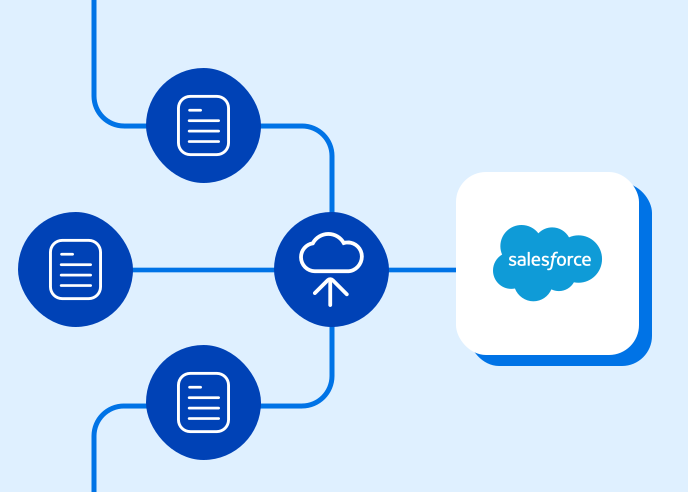
- A Connector step pushes the record into Salesforce (or another CRM) the moment it’s submitted.
- A Send an Email step sends the personalized acknowledgement automatically. If financial aid is part of the picture, a separate path in the workflow routes the financial portion to the right office — no extra coordination required.
This is one of the patterns FormAssembly’s Higher Ed customers build most often. The form looks the same to the applicant, but the work behind it shrinks dramatically.
Healthcare: HIPAA-compliant intake that lands in the EHR
The before:
- A new patient fills out an intake form.
- Front-desk staff print it, review it, manually key the data into the EHR, and shred the printout. Privacy is technically protected as long as the paper handoff goes correctly. Mistakes happen on busy days.
The after:
- The intake form is part of a HIPAA-compliant workflow.
- The patient fills the form in online.
- A Connector step writes the data directly into the EHR. The chart is ready for the visit before the patient arrives.
The deeper benefit isn’t speed. It’s that sensitive data stops living on paper, in printers, and in temporary spreadsheets along the way. Healthcare teams that move to this pattern often describe it as the cleanest version of patient intake they’ve ever had — and it’s increasingly how healthcare organizations using FormAssembly handle intake at scale.
Government and Nonprofit: a grants workflow, end to end
The before:
- A grant application gets emailed in (or worse, faxed in) as a PDF.
- It goes into a queue.
- A reviewer reads it. They make comments by hand or in a separate document. They forward it to a second reviewer.
- Approval — if it ever comes — is captured in a forwarded email.
- Awarded grants get a manually-written confirmation letter.
- Compliance reporting, six months later, is reconstructed from emails and folders.
The after:
- The application is a workflow. Intake, review, approval, award notification, and compliance reporting are all steps in the same map.
- Approval steps pause the workflow at each decision point.
- Advanced Document Generation produces the award letter automatically.
- The whole record — application, decision, award, reports — lives in one place and is auditable from day one.
This is the pattern behind how many of our nonprofit customers manage grant cycles, and one of the reasons workflows show up so often in government data collection.
Financial Services: client onboarding with KYC routing and e-signatures
The before:
- A new client fills out an onboarding form.
- A relationship manager calls them to collect missing KYC information.
- A compliance officer reviews the file in a separate system.
- Signed agreements are emailed back and forth, with at least one “can you sign page 14” message in the thread. Onboarding takes days.
The after:
- The onboarding form kicks off a workflow.
- A Conditional Ruleset step decides which KYC questions are needed based on what the client provided.
- A Connector step pushes the file into Salesforce or the firm’s onboarding system.
- An e-signature step captures legally compliant signatures inside the workflow itself.
- An Approval step routes to compliance. The client never sees the seams. Onboarding takes hours.
This is one of the patterns covered in detail in our FinServ workflow examples, and it’s why workflows are a core part of how we approach Financial Services data collection.
HR (any industry): an annual review that walks itself
The before:
- HR sends a kickoff email.
- The employee fills out a self-review and emails it to their manager.
- The manager writes a review in a separate document.
- HR chases everyone for status. Reviews are late. Reviews are forgotten. The review file lives in three or four versions across two or three inboxes.
The after:
- The annual review is a workflow. HR triggers it.
- The employee gets the self-review form via a Workflow Assignment. On submission, the workflow routes to the manager for their review.
- On the manager’s submission, the workflow advances to a final approval and notifies HR. Three people. One workflow. One record.
The same shape covers customer onboarding, patient pre-visit intake, mortgage approvals, and any process where more than one human needs to touch the same record.
The pattern underneath all five
Look at the five scenarios side by side and the pattern is the same. A form on its own can collect the data, but it can’t make decisions about the data, route it, push it into the systems that depend on it, or coordinate the second or third human who needs to touch it. A workflow does all of that — and does it the same way, every time, without anyone having to remember.
When that flips, your form stops being where the work ends. It becomes where the work starts.
See your scenario in action
Want to see what a workflow could do for your team? Schedule a personalized demo to see one of these patterns built live, or start a free trial and design your first end-to-end workflow.