FormFest 2026 brought together one central idea: better data collection isn’t about a single feature, but rather, about how everything works together.
From AI-powered form creation to workflow automation, and from CRM data quality to flexible integrations, each session focused on a specific piece of the puzzle. But the real value comes from how these pieces connect.
Access the FormFest 2026 video library here to watch all sessions on-demand.
In this overview, you’ll see the “big picture” of five key use cases and how they work in sync to create a modern, efficient, and scalable data collection ecosystem.
The Big Picture: From Data Collection to Action
At a high level, every modern data workflow follows the same lifecycle:
- Digitize and collect data
- Design and optimize forms
- Automate workflows and follow-up
- Ensure CRM data quality
- Connect systems across your tech stack
Each FormFest session focused on one of these steps. Together, they form a complete, end-to-end strategy.
Start Here: Convert Paper Forms Into Digital Workflows
Before you can automate anything, your data needs to be digital – and usable.
In “Converting Web Forms and Digitizing Paper Processes,” the focus was on moving away from manual, paper-based processes and into structured, scalable systems.
Key Takeaways:
- Paper forms create delays, errors, and data silos
- AI can convert PDFs, images, and spreadsheets into digital forms instantly
- Digitization isn’t just replication – it’s optimization
How It Connects: This is your foundation. Without digital forms, you can’t automate workflows, integrate systems, or improve data quality downstream.
Build Smarter: Use AI Prompts to Create Better Forms
Once your forms are digital, the next step is improving how they’re built.
In “Building Better Forms with AI Prompts,” the focus was on using AI effectively, not just to get things done quickly.
Key Takeaways:
- Strong prompts include action, constraints, and outcome
- Vague prompts lead to inconsistent or unusable results
- AI works best when tasks are broken into smaller, focused steps
How It Connects: AI accelerates form creation and iteration, making it easier to standardize data collection across teams. Better forms lead directly to better data, and better automation.
Automate What Happens Next: Workflows and Follow-Up
Once data is collected, the real value comes from what happens after submission.
In “Building Better Form Follow-Up,” the focus was on eliminating manual handoffs and ensuring every submission leads to action.
Key Takeaways:
- Conditional logic routes data automatically
- Workflows trigger emails, approvals, and follow-ups
- Multi-step processes can be managed without code
How It Connects: Workflows turn static data into dynamic processes. This is where efficiency gains happen – reducing delays, manual work, and missed opportunities.
Improve at the Source: Prevent Duplicate CRM Data
Automation is only effective if your data is accurate.
In “Improving CRM Data,” the focus was on stopping bad data before it enters your CRM.
Key Takeaways:
- Duplicate records waste time and reduce trust in your data
- Backend cleanup is reactive – not scalable
- Validation, lookup logic, and automation prevent duplicates at entry
How It Connects: Clean data is what makes workflows, reporting, and AI reliable. Without it, even the best automation breaks down.
Connect Everything: Use Webhooks for Flexible Integrations
Finally, your data shouldn’t live in one system.
In “Connecting Forms to CRMs, EHRs, Quickbooks, Docusign, and More,” the focus was on extending workflows to all of your critical systems.
Key Takeaways:
- Webhooks send data anywhere in real time
- They enable connections to CRMs, EHRs, APIs, and internal tools
- You control data structure, routing, and delivery
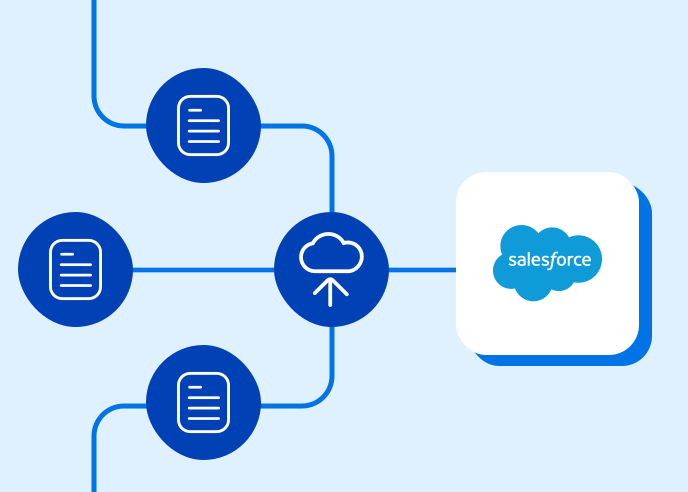
How It Connects: Webhooks ensure your workflows aren’t limited by your platform. They allow your data to move freely across your entire tech stack.
How It All Works Together
Individually, each of these capabilities solves a specific problem. Together, they create a seamless system:
- Digitization ensures your data is accessible
- AI-powered form building ensures your data is structured correctly
- Workflows ensure your data triggers action
- Data validation and CRM logic ensure your data is accurate
- Webhooks and integrations ensure your data reaches every system that needs it
This is what modern data collection looks like: connected, automated, and reliable from start to finish.
A Real-World Example: End-to-End in Action
Imagine this hypothetical intake process:
- A legacy PDF form is converted into a digital form using AI
- AI refines the form for usability and consistency
- A user submits the form
- A workflow routes the submission based on responses
- CRM logic checks for existing records and prevents duplicates
- Data is sent to additional systems via webhooks
- Follow-up actions (emails, approvals, documents) are triggered automatically
What used to take hours – or days – now happens instantly and accurately. The result? A modern data collection experience you can actually rely on.
When all of these capabilities work together seamlessly, you get:
- Faster form creation and iteration
- Reduced manual effort and errors
- Cleaner, more reliable CRM data
- Automated follow-up and workflows
- Seamless integration across systems
- Scalable processes that grow with your organization
Most importantly, your team can spend less time managing data and more time using it.
Final Takeaway
FormFest 2026 highlighted a shift from isolated tools to connected systems. Modern data collection is not just about building better forms. It’s about building better processes around your data. By combining AI, workflows, validation, and integrations, you can create a data collection strategy that is:
- Proactive instead of reactive
- Automated instead of manual
- Scalable instead of fragmented
If you’re looking to modernize your data collection, the path forward isn’t a single feature – it lies in how these capabilities work together.
Curious to see this in action?
Schedule a personalized demo of the FormAssembly platform, tailored to your specific use cases, or start a free, no-strings-attached trial to explore on your own.