If you’re a Marketing Cloud Account Engagement (formerly Pardot) user and you create landing pages for marketing on a regular basis, you already understand the importance of capturing leads through web forms.
Lead capture forms remain one of the most effective and straightforward ways to collect prospect information online. When those forms go beyond basic capabilities, supporting automation, Salesforce integration, and advanced data handling, they become even more valuable to your marketing workflow.
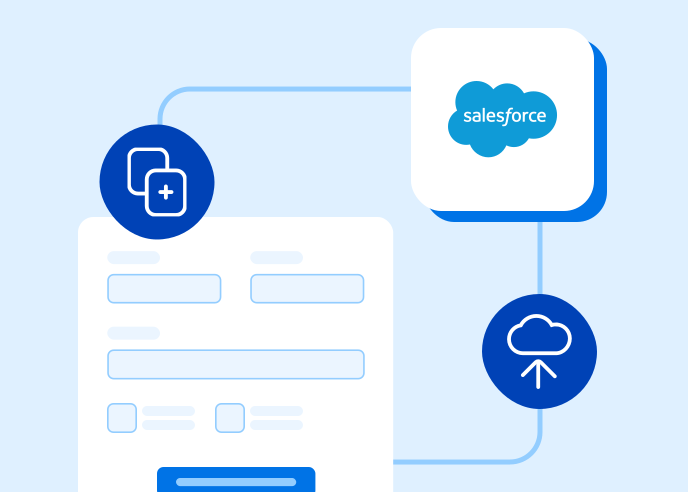
For example, imagine adding a web form to a landing page that matches your company’s branding and automatically pushes the collected data to Salesforce. With the right tools, that process can be streamlined and efficient.
In this guide, we’ll show you how FormAssembly and Marketing Cloud Account Engagement can work together to support efficient lead capture and Salesforce-connected workflows.
Below is an example workflow: creating a landing page in Marketing Cloud Account Engagement, building a customized form in FormAssembly, and sending submitted data directly to Salesforce.
1. Create a Landing Page in Marketing Cloud Account Engagement
Start by creating a landing page using the Marketing Cloud Account Engagement landing page builder. Landing page builders allow marketing teams to quickly create campaign pages without writing code.
Using templates and visual editing tools makes it easier to produce consistent, branded landing pages while saving time. This can be especially helpful for teams that need to create multiple campaign pages or event registration pages quickly.
When building your landing page, keep standard landing page best practices in mind. For example, pages should focus on a clear goal and avoid unnecessary distractions. While opt-in forms are essential for lead capture, including too many forms on a single page can confuse visitors and reduce conversions.
2. Build and Customize Your Form
Next, create your form in FormAssembly.
FormAssembly allows you to design forms that match your organization’s branding and connect directly to Salesforce. Within the FormAssembly platform, you can:
- Upload your company logo
- Customize colors and styles
- Add fields and instructions with drag-and-drop tools
- Build forms without writing code
Instead of relying solely on basic web-to-lead forms, FormAssembly allows you to create web forms that map directly to Salesforce objects, meaning you can send data to standard or custom Salesforce objects, depending on your workflow.
Note: you can continue using Marketing Cloud Account Engagement landing page templates to manage your marketing pages, making it easy to combine the strengths of both platforms.
3. Enable the Salesforce Connector
To send form responses directly to Salesforce, enable the Salesforce Connector within FormAssembly. Once connected, you can:
- Create new Salesforce records automatically
- Map data to multiple standard or custom objects
- Use advanced prefilling for returning users
- Build more complex workflows using Salesforce data
This integration allows your marketing forms to feed directly into Salesforce processes, helping ensure your sales and marketing teams are working from accurate and up-to-date information.
4. Embed the Form on Your Account Engagement Landing Page
After creating your form, you can embed it on your Marketing Cloud Account Engagement landing page.
FormAssembly automatically generates an embed code for each form you publish. To place the form on your landing page:
- Locate the form in your FormAssembly dashboard.
- Open the form and select “Edit” → “Publish.”
- Copy the generated embed code.
- Paste that code into your landing page where you want the form to appear.
Once the code is added, the form will display on the page and begin collecting submissions. From there, responses can automatically flow through your configured Salesforce connector.
This approach allows marketing teams to maintain flexible landing page design in Marketing Cloud Account Engagement while using FormAssembly to power more advanced, Salesforce-connected forms.
Conclusion
Combining FormAssembly with Marketing Cloud Account Engagement (previously Pardot) allows marketing teams to create branded landing pages, collect lead data through flexible forms, and send that information directly to Salesforce.
This integration supports more advanced workflows than basic web-to-lead forms, helping teams manage lead capture, campaign registrations, and other marketing processes while keeping Salesforce data accurate and up to date.
Try it for yourself!
Ready to see FormAssembly’s Salesforce Connector in action? Start a free trial or schedule a personalized demo.